
The freedom to teach your way.
The planner that makes it work.
Built around your child.
Their interests, their pace, the way they think. Design their learning path, write lessons that fire their curiosity, and know you haven't missed anything.
No credit card required. Cancel any time.
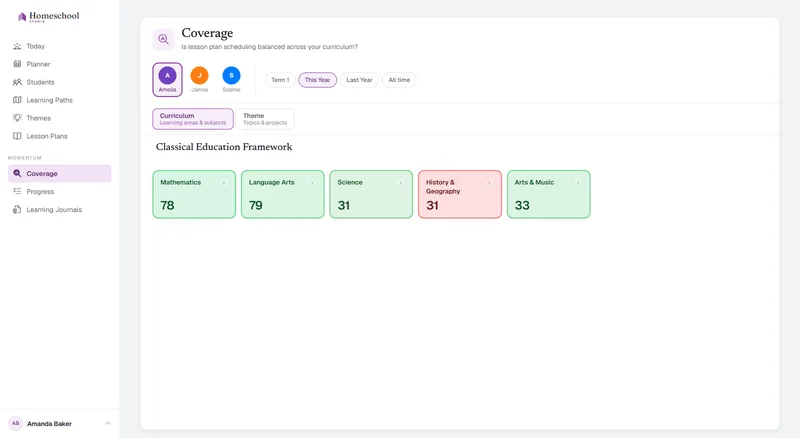

The nagging question
You've chosen this path because you want your child's education to flourish with a personalized learning journey. The freedom to teach with genuine responsiveness to your child's development is a rewarding responsibility – but "how do we know we're covering everything we should?"
Your child. Their path.
Start with their learning path.
Set the direction for your child's learning journey – their passions, their pace, the subjects they're years ahead in and the ones that need more time.
Build a learning path that reflects how your child actually learns – formal academic areas alongside thematic units, foundational work alongside advanced study. No grade levels. No assumptions based on other children.
Build from scratch, upload a document, or import from a website.
See how the Learning Path works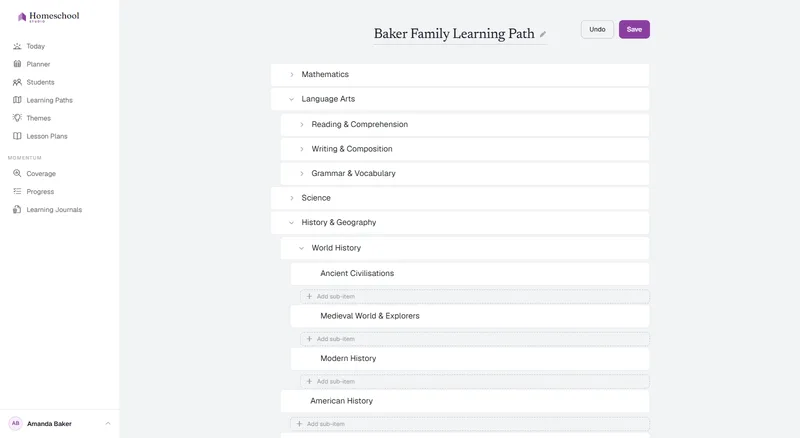
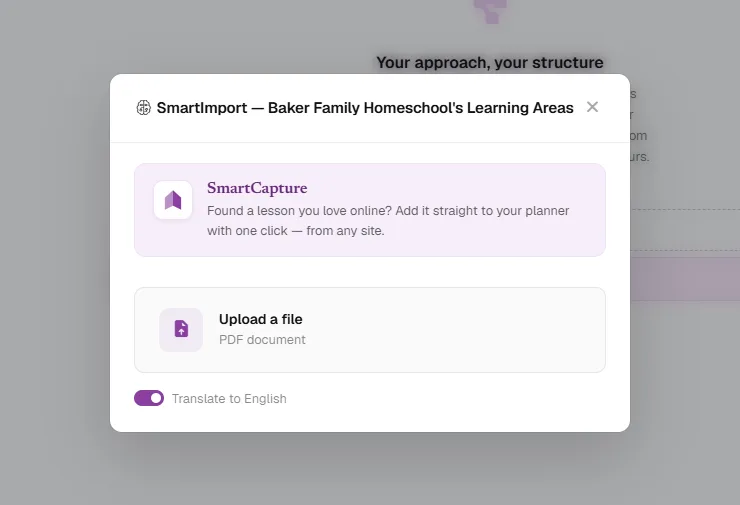
SmartImporter
Already have a curriculum?
Bring it in.
Learning Paths and Lesson Plans – Sorted.
Upload a PDF or capture from the web. SmartImporter reads your existing material in seconds. Any curriculum. Any publisher. Any language.
Then make it yours.
The coverage map
See how you're tracking.
The Coverage Map shows how much time and attention you've given every subject and area. Spot gaps at a glance. The visibility you need to relieve the nagging question.
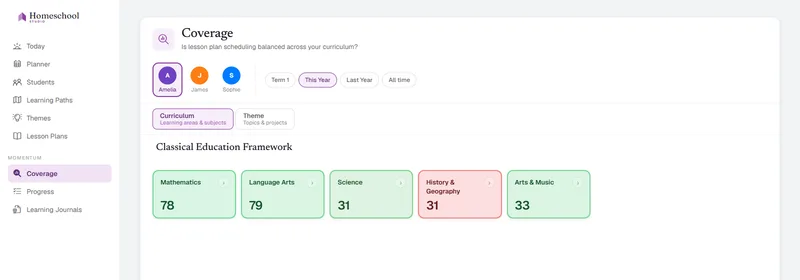
See how the Coverage Map works"I know we're doing good work – I just wish I could see it."
– Every homeschool parent, at some point
Themes · the living curriculum
The path is set. The spark moves.
Your learning path guides your child's learning – the subjects and skills your child is building, term after term. It is meant to last.
Your theme is the living context – the lens through which learning feels alive right now. Space. The Zoo. Knights and Castles. A theme pulls your lesson plans into a coherent, meaningful whole that genuinely excites your child.
And when their interests shift, add a new theme. The learning path stays exactly where it was. So does your progress.
Switch themes mid-term whenever it feels right. Nothing resets. Nothing is lost. The Coverage Map doesn't skip a beat.
The only thing that changes is the energy in the room.
The lesson editor
Write beautiful lessons.
Just like a real document. Use headings, images, tables and color to write lesson plans that are easy to teach and fun to learn.
Tag your learning areas to automatically track your learning path coverage and your child's progress.
SmartPlan
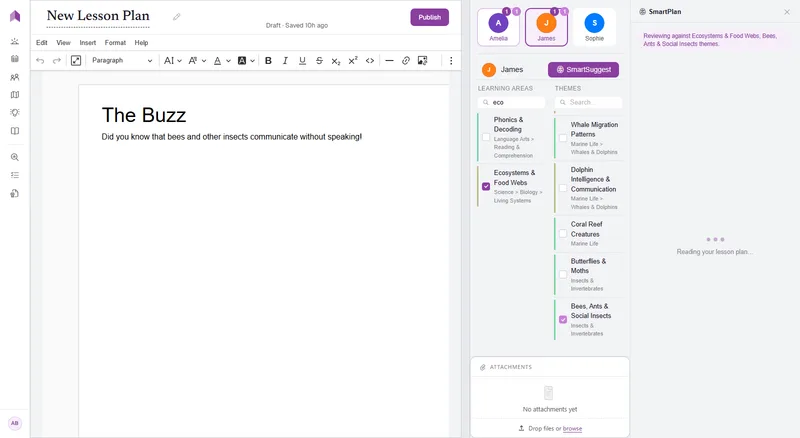
Write lesson plans in seconds.
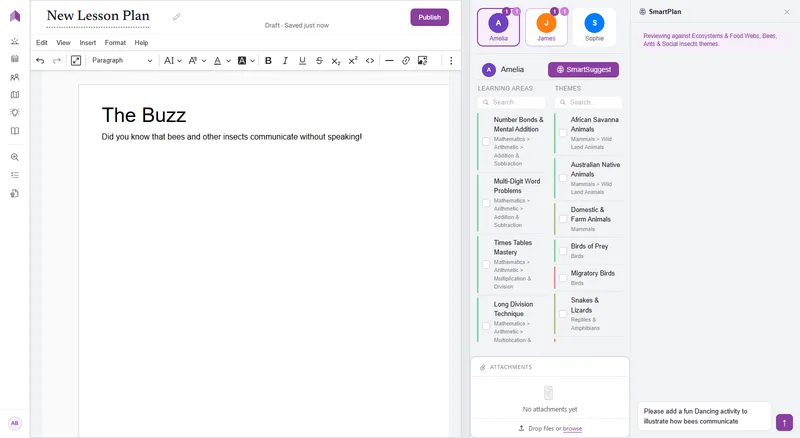
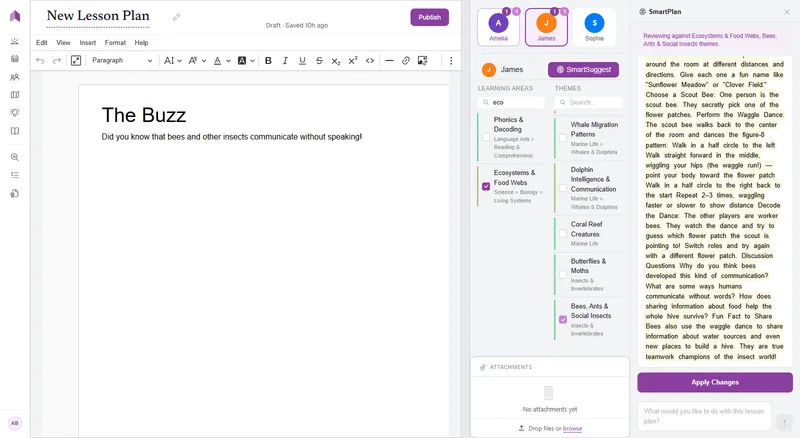
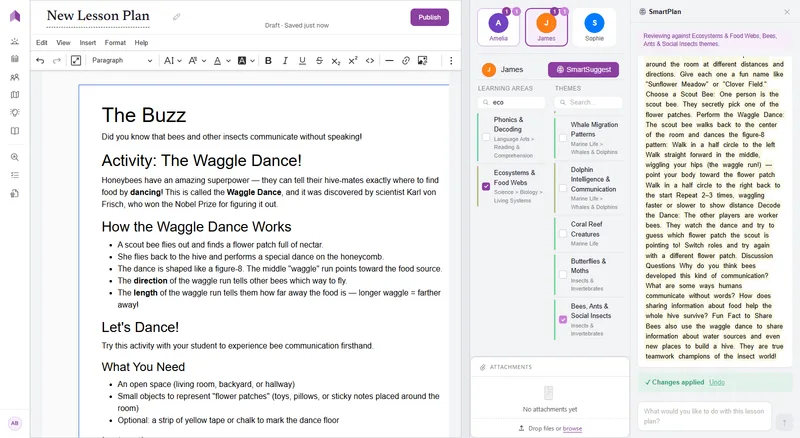
Use SmartPlan to turbo-charge your lesson plan writing: "Add a hands-on activity", "Update the theme to Space Exploration", "More challenging questions", or anything else.
Tell SmartPlan what to do, and it automatically drafts the change for you to approve with a click.
You always review before anything changes.
Calendar
Your education, around
your actual life.
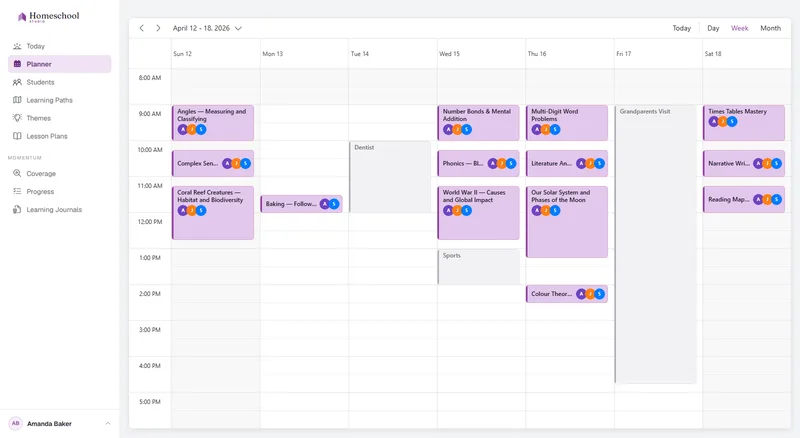
Drag your lesson plans onto the week. See every child's schedule at once – who's doing what, when, and where sessions overlap.
Life happens – a sick week, a family trip. Shove every lesson in a single move, instead of dragging them one at a time.
Connect your Google or Outlook calendar, and your real-life commitments sit right beside your lessons – so you plan school around the life you already have.
Today
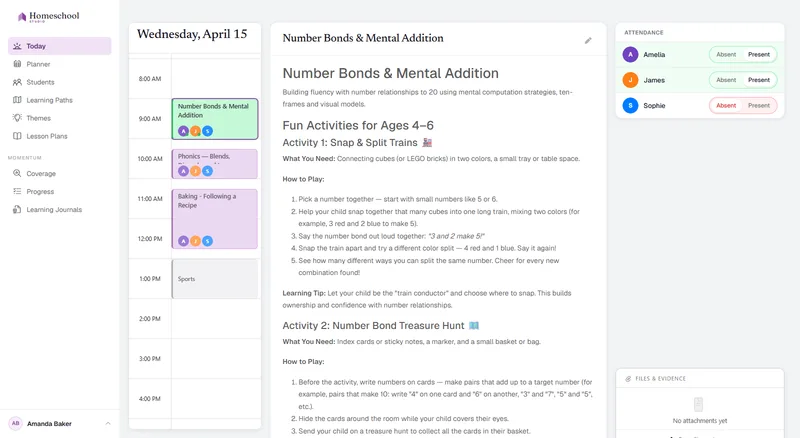
Your day - ready to teach.
Open Today and it's all laid out – every lesson you planned, every child, in the right order. Teach, mark who was there, and record any observations you like.
Your child's development journey automatically progresses with every lesson you complete, one ordinary day at a time - nothing extra to fill in.
Attendance and completion captured as you teach.
Attachments
Snapshot their work.
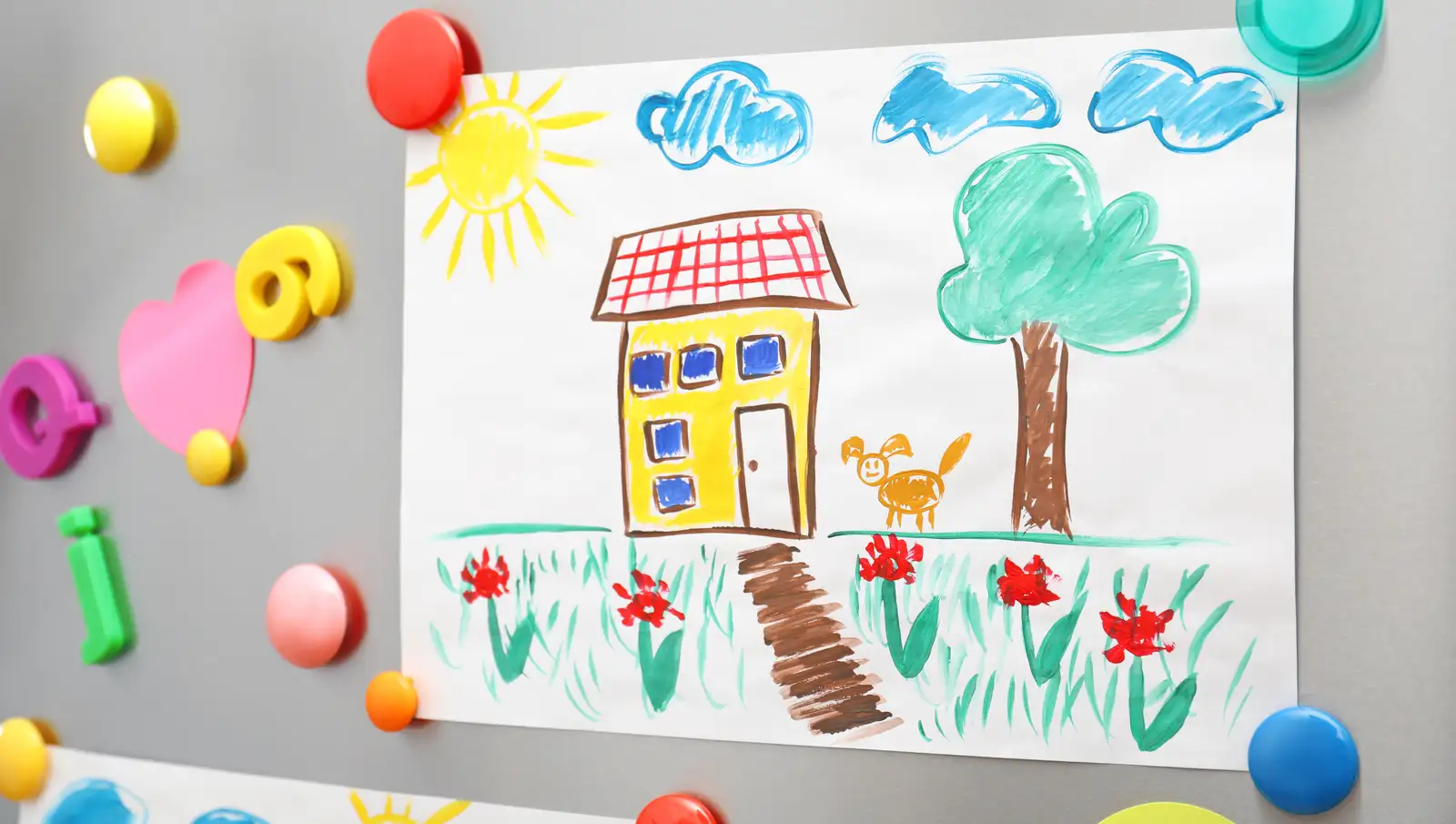
Snap a photo of the finished worksheet, the science experiment, the painting still drying. Drop it – or any file – straight onto the lesson it belongs to.
Learning Journal
Everything they've learned,
summarized for you.
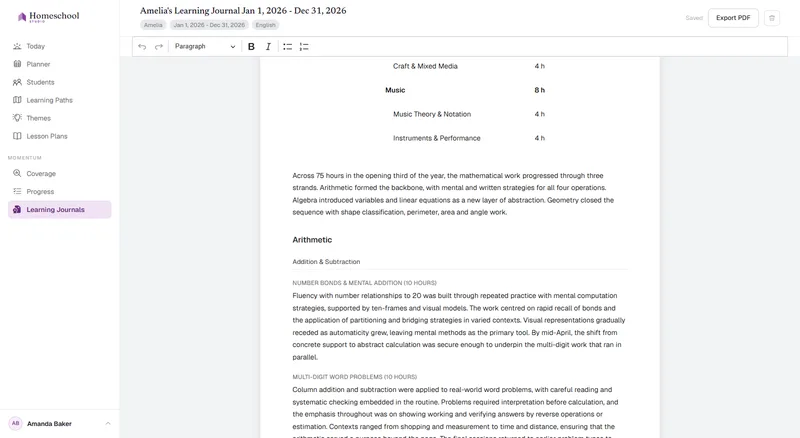
Homeschool Studio reads your actual lesson plans, attendance, and observations, and turns them into a real narrative of their learning this period – what they learned, when they learned it, and their development.
Yours to edit. Yours to keep. Ready to export.
Homeschool Studio was built for the way you actually live.
"She's reading novels, but still needs hands-on math."
No grade levels. No assumptions. Homeschool Studio supports the uneven, individual shape of your child's education.
For children who learn differently"I love the teaching, but not the management."
Each parent has their own login to their family's account. Share the learning roles in whichever way works for your family – planning, tracking, prep, and teaching.
For families teaching together"Each of my children learns differently."
Each child gets their own learning path and progress. Teach them however suits your family – one shared lesson with activities for each, separate lessons side by side, shared objectives or topics all their own.
With more than one childBuilt by a parent who needed this, for his own child.
Read the story
“I'm going to show you how to get started, and I promise it won't take long.”

Start building the education
your child deserves.
30 days free. No credit card. Cancel any time.
Start free — 30 days